Polylingo
Break the language barrier with Polylingo
the smarter way to communicate.
Project
Category
Case study
Personal project
Period
Apr 2025 - Mar 2025
Contribution
Research, Wireframe, UI Design
Interaction
Overview
AI Voice translation
B2C • Platform
Mobile
UX Research
Interaction Design
Motongraphics
2025
Existing real-time translators lose
context in long conversations
(<60% accuracy) and
offer no instant feedback,
leading to unnatural interactions.
Problem
I assumed
adding real-time interaction
and context-aware translation
would push consistency to 85%
+ in long-term conversations.
Hypothesis
This approach is expected to
reduce errors and improve
long term conversation
satisfaction.
Expected
Outcome
01. Problem recognition

02. Research
UX research was conducted to define the service direction that best meets
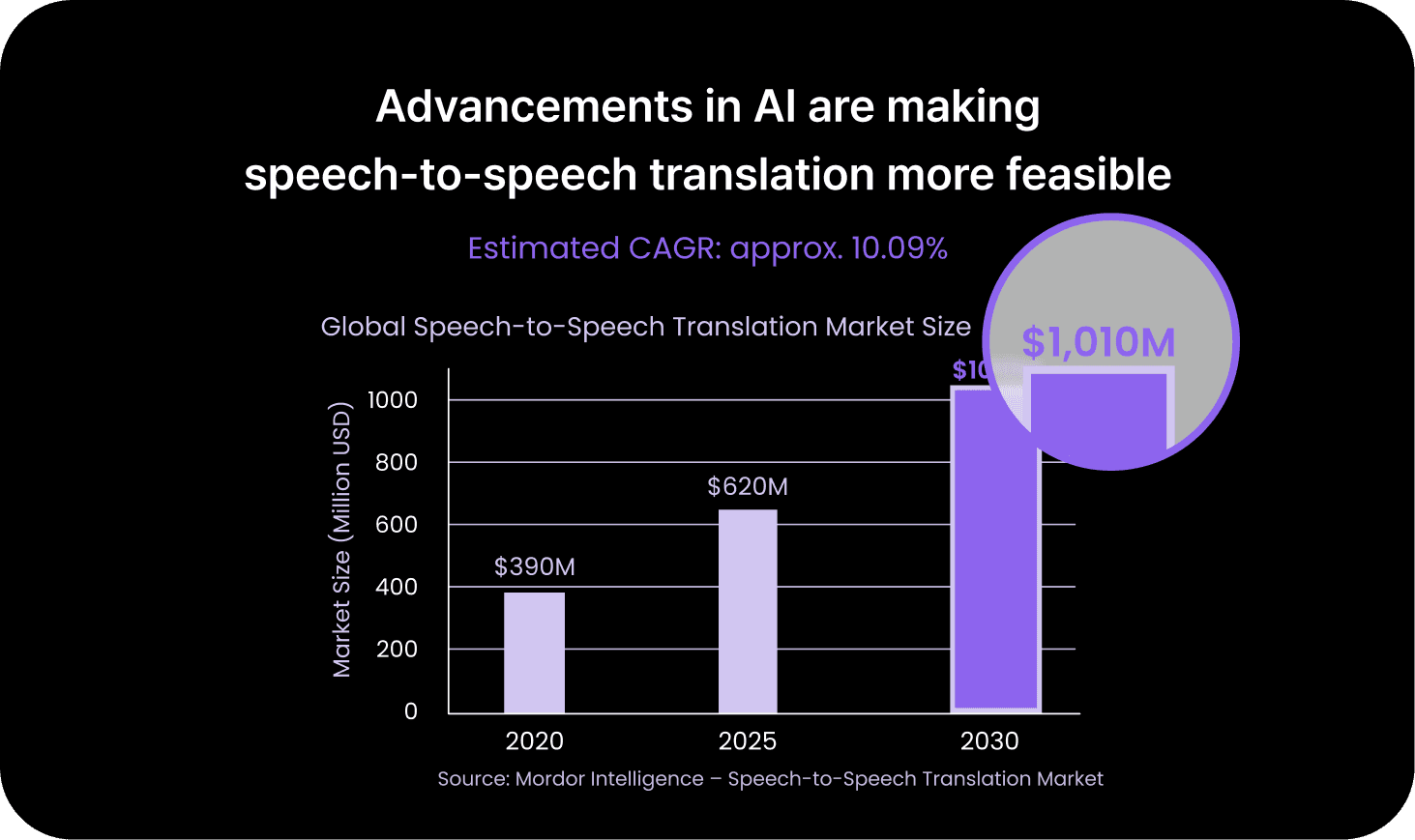
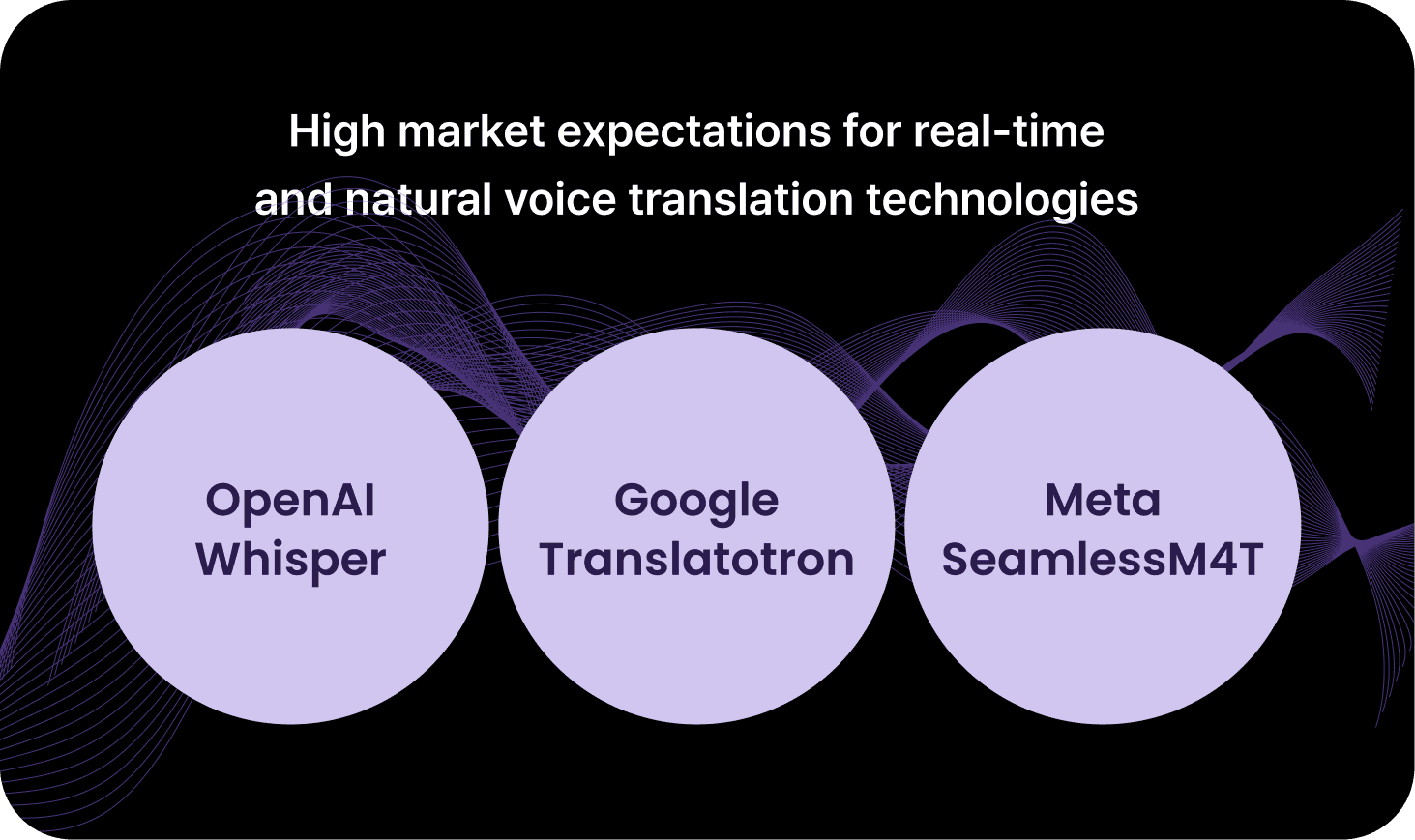
user needs. The research began with analysing market trends in translation
services and advancements in AI voice recognition to assess technical feasibility.
This was followed by competitive analysis to identify key features and gaps and
user behaviour research to uncover pain points and opportunities
within real usage contexts.
Analysing market trends
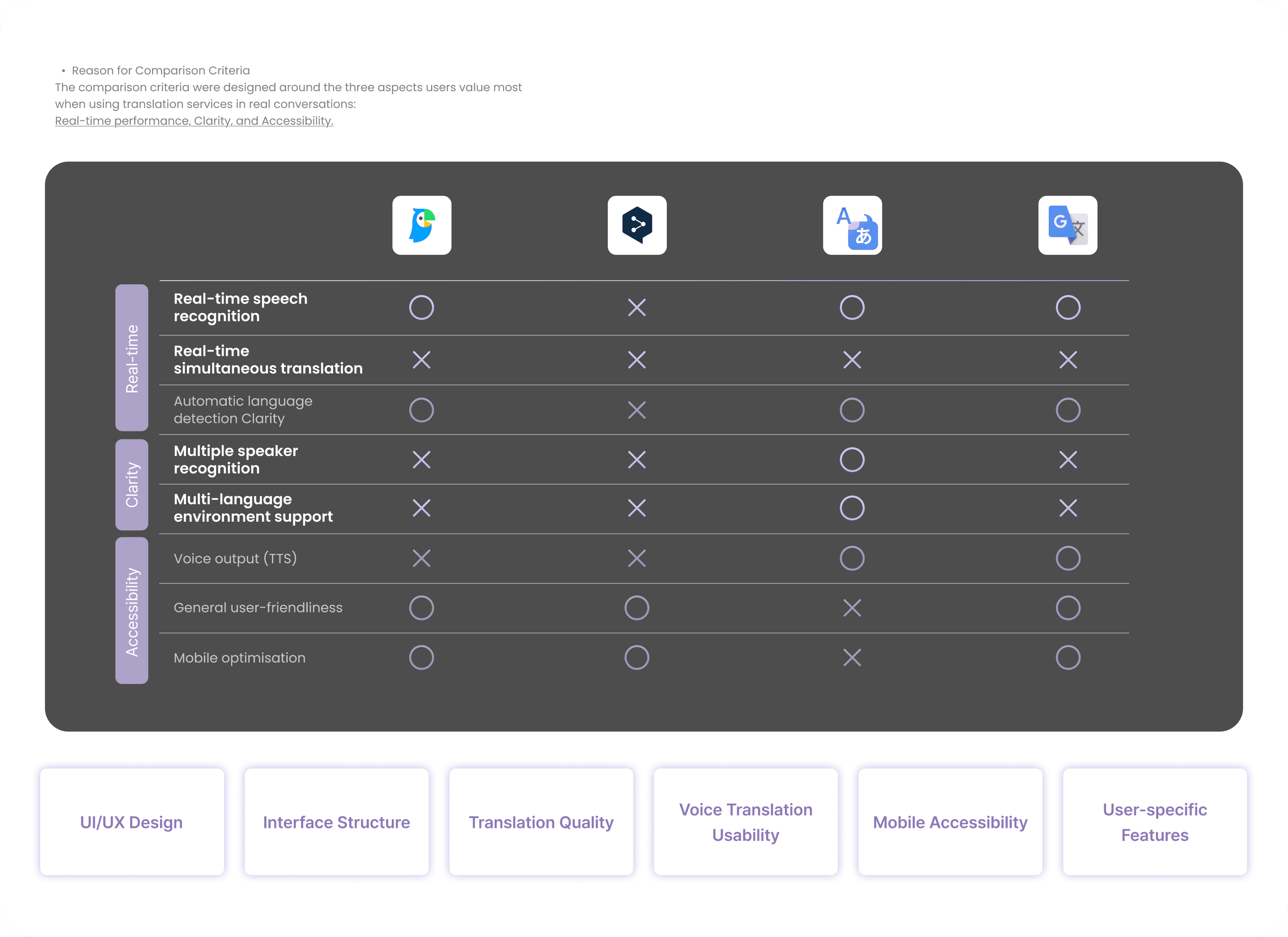
Competitive service
Most translation services achieve real-time performance and accuracy,
but still lack in 1) Multi-speaker recognition
2) Maintaining long conversation flow, 3)General user-friendliness
user behavior analysis
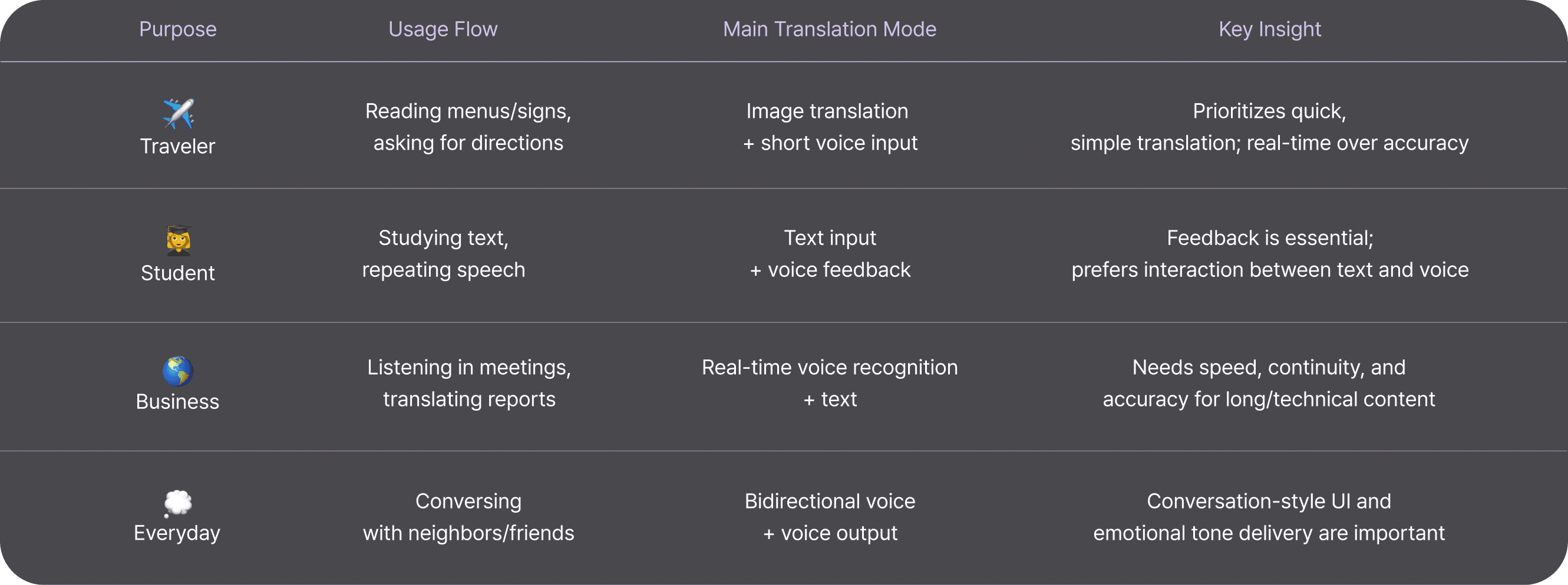
The way users translate varies depending on their goals and context.
In many cases, context, emotion, and conversational flow matter more than
sheer translation accuracy.
I aim to provide an integrated translation experience that supports
real-time voice conversations and a natural conversational flow.
03. Ideation
Before moving into wireframing, core features and essential technologies required for
the app were defined. The interactions between users and the service
were also visualised to clarify functional flows and the overall experience structure.
Core Functions & Tech Stack
Simultaneous Voice
Translation
Start translation with a tap
on the mic button
Multi-speaker Detection
Identifies speakers by voice tone
Automatically detects and
translates multiple languages
Context-aware Modes
Switch modes based on
environment or situation
Conversation History &
Bookmarking
ASR
NMT
TTS
Real-time Streaming
Whisper / Google Speech-to-Text / Azure Speech API
DeepL API / Google Translate API / Meta NLLB
Google TTS / Amazon Polly / OpenAI TTS
WebRTC / gRPC / AWS Lambda
Pyannote.audio /
Microsoft Speaker Recognition
Speaker Identification
Records and stores entire conversations
Concept model
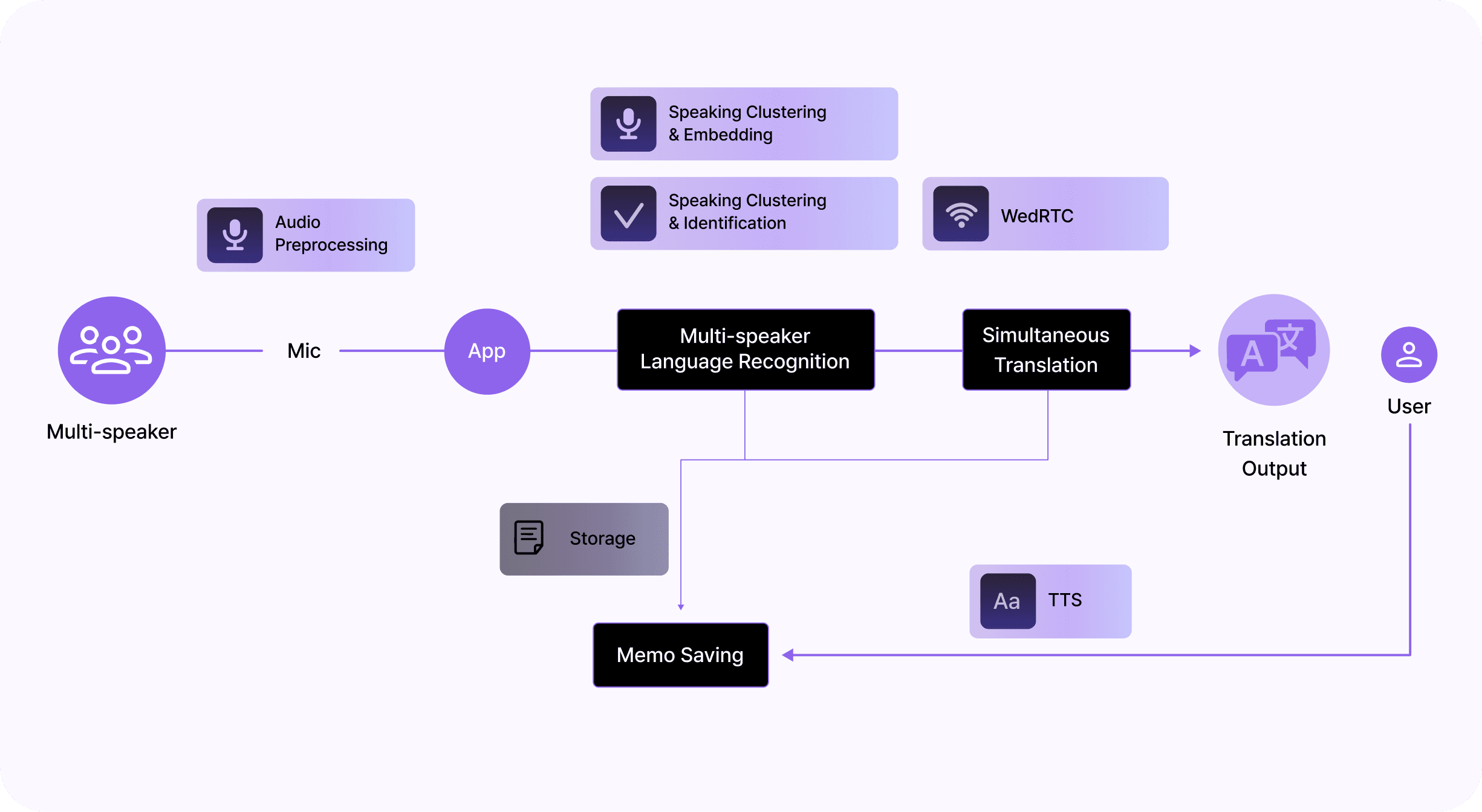
A concept model mapping
how speech is recognised,
translated, and synthesised
before being delivered to
users in a multi-speaker
environment.
Network Diagram
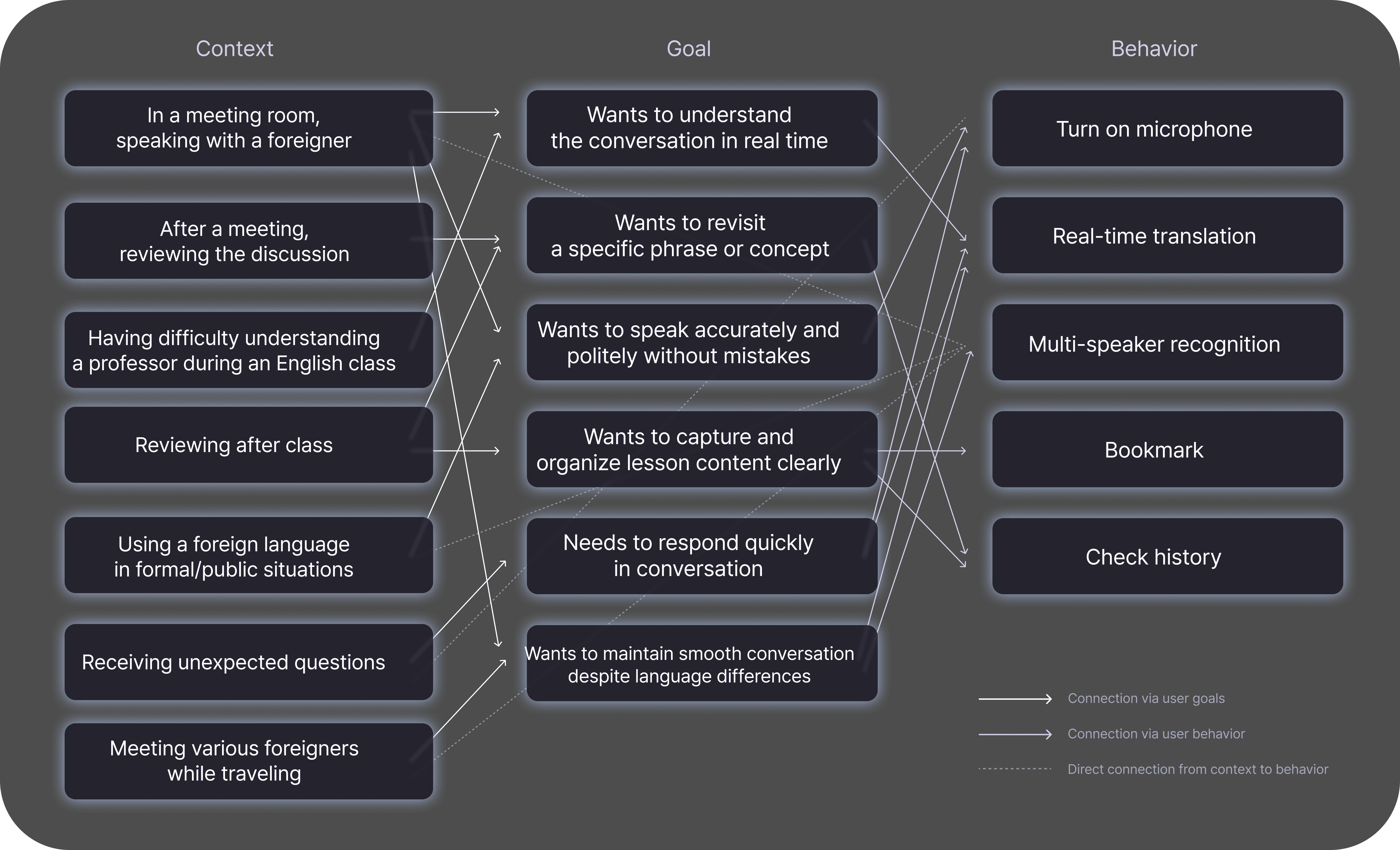
A network diagram designed
to show how a single feature
can contextually expand into
multiple goals and actions
across different scenarios.
04. Deisgn approach
Real-time Interaction
Clarity through Simplicity
Trust & Focus
Instant response with minimal user actions
Automatic multi-speaker recognition without manual input
Minimal UI for quick start
Direct feedback via button size or subtle animation
Context-aware design
within a single, clean interface
Context-driven, reliable information
rather than feature overload
Easy access to translation progress
even mid-conversation
IA
Home
Language settings
Start translation
Conversation records
Bookmark management
Edit saved content
Language pair select
TTS & voice settings
General settings / Account management
In translation
results
Speaker distinction
Bookmark
text edit
Add memo
Delete My Page
History
My page
UX Principles
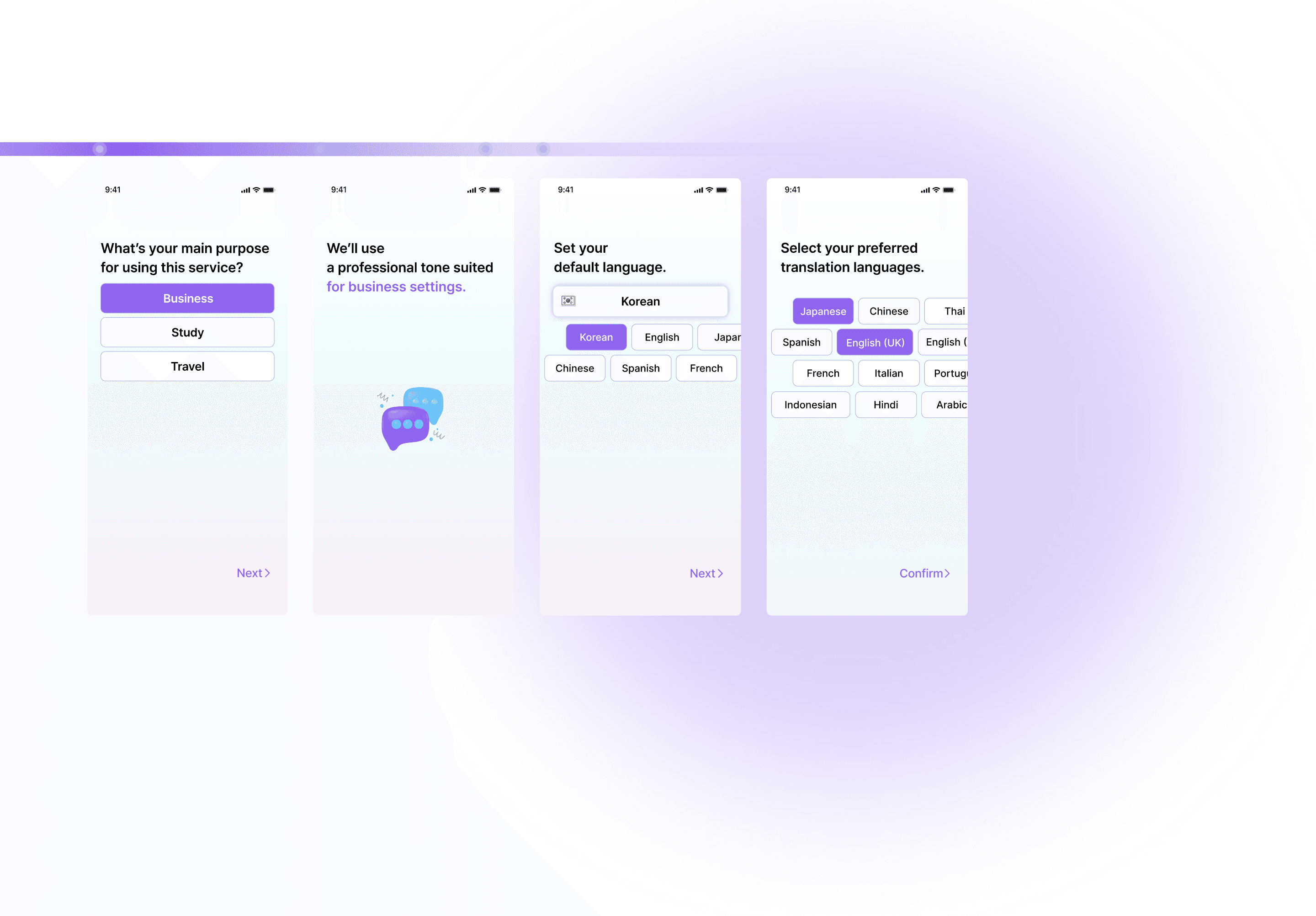

On-Boarding
Set a tone that aligns
with your service purpose.
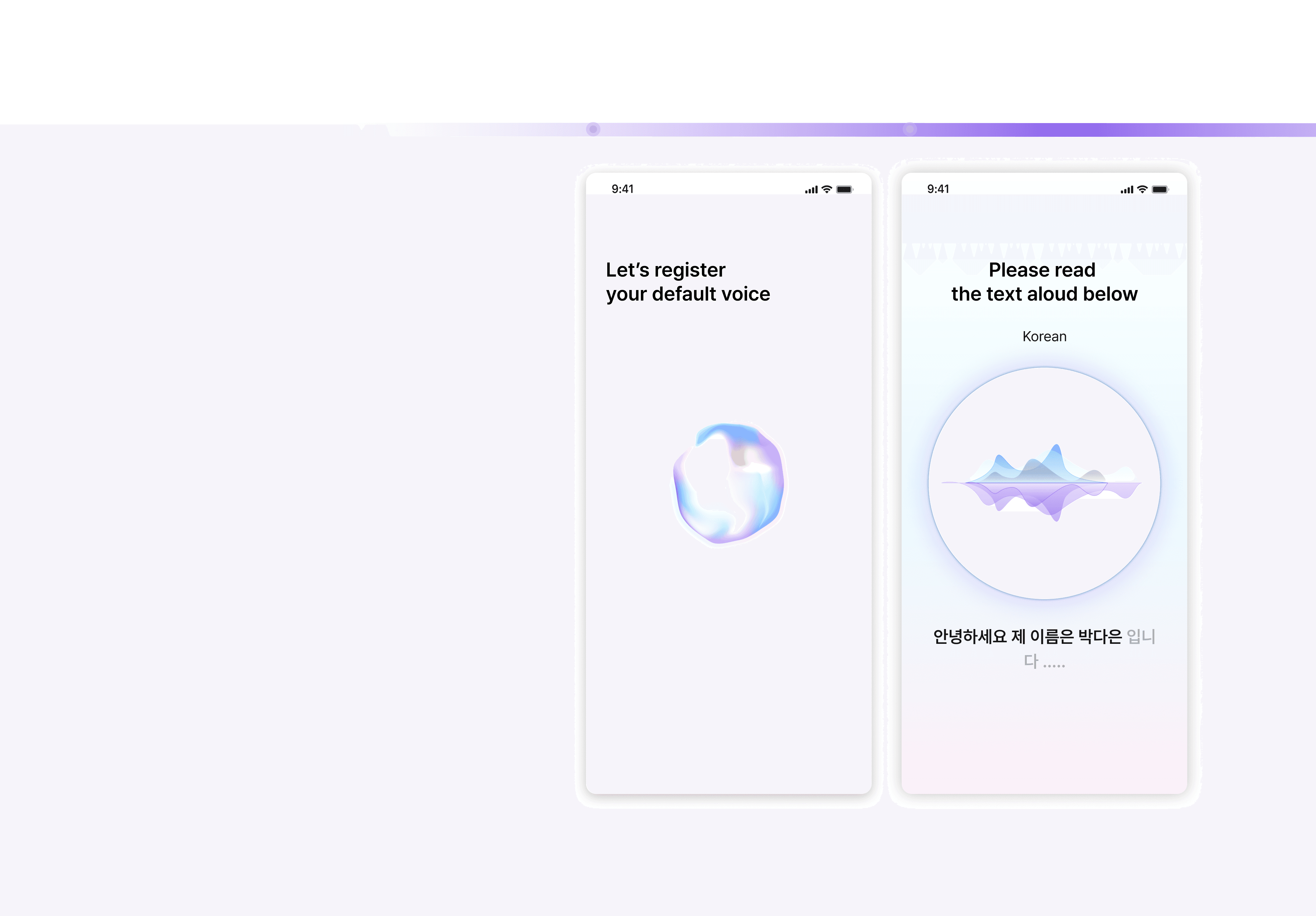
Set your voice as the default.
For accurate speaker separation
in multi-speaker conversations,
your voice will be set as the baseline.
voice as the default.
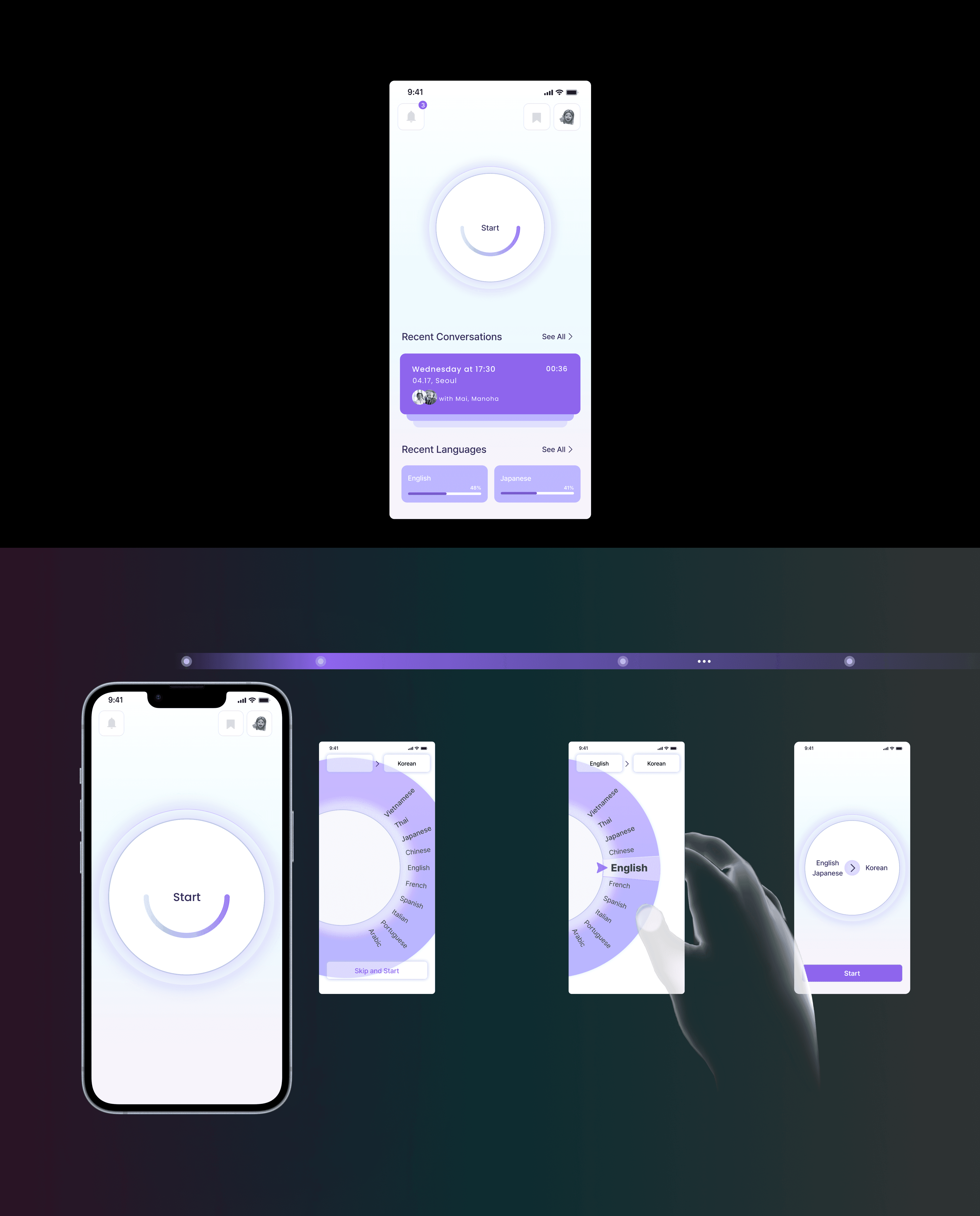
Home
Recent Activity
You can scroll below to
view your recent conversations
and most-used languages.
Language Selection
Start Translation
With automatic language
detection, translation can
begin immediately.
Turn the wheel to the right
to select a language.
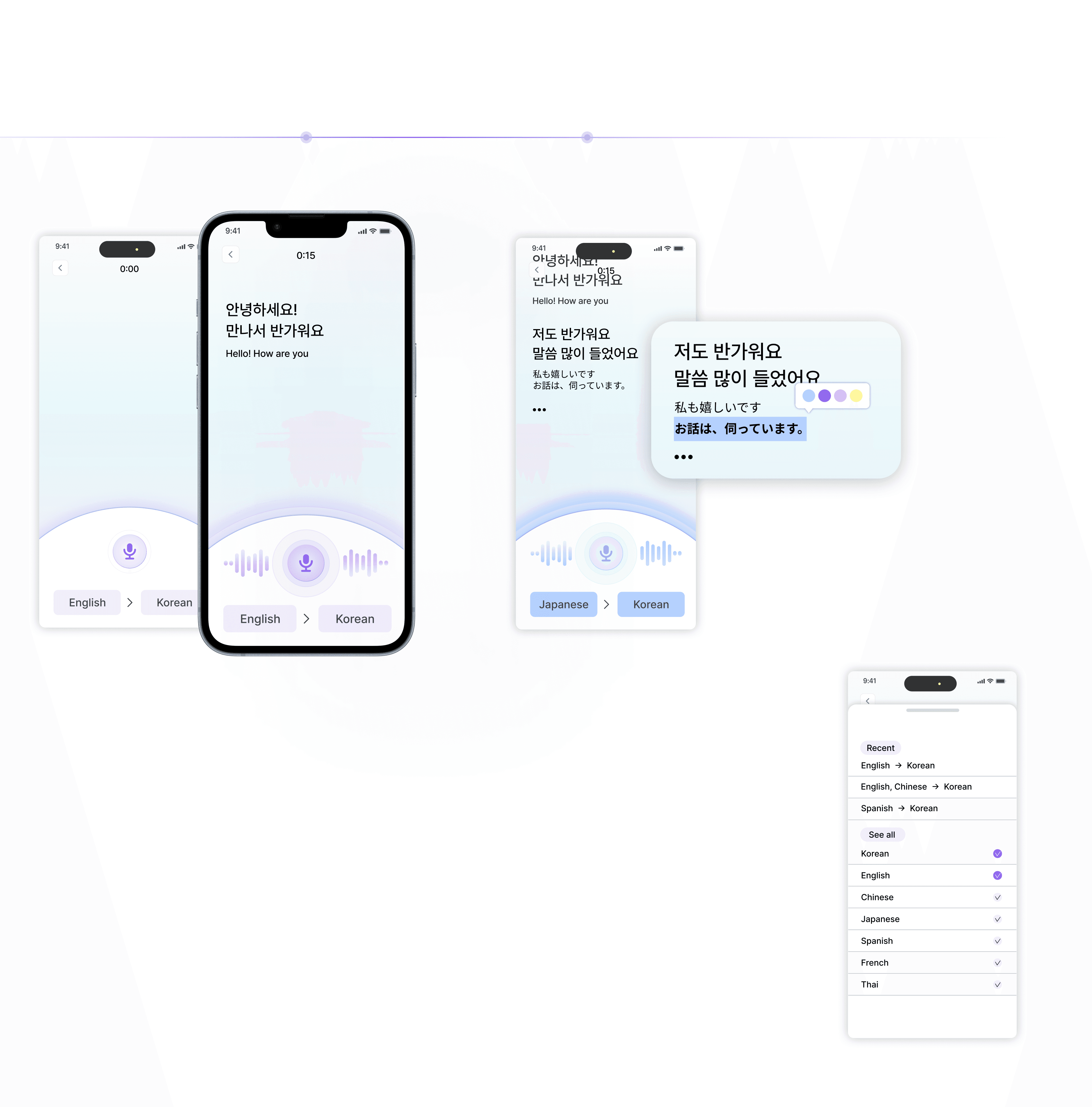
Speech
Recognition
Multi
speaker
When a different language is
detected, the color changes.
Language Editing
speaker
If a language change is needed during use,
recently used languages are displayed first
for quick selection.
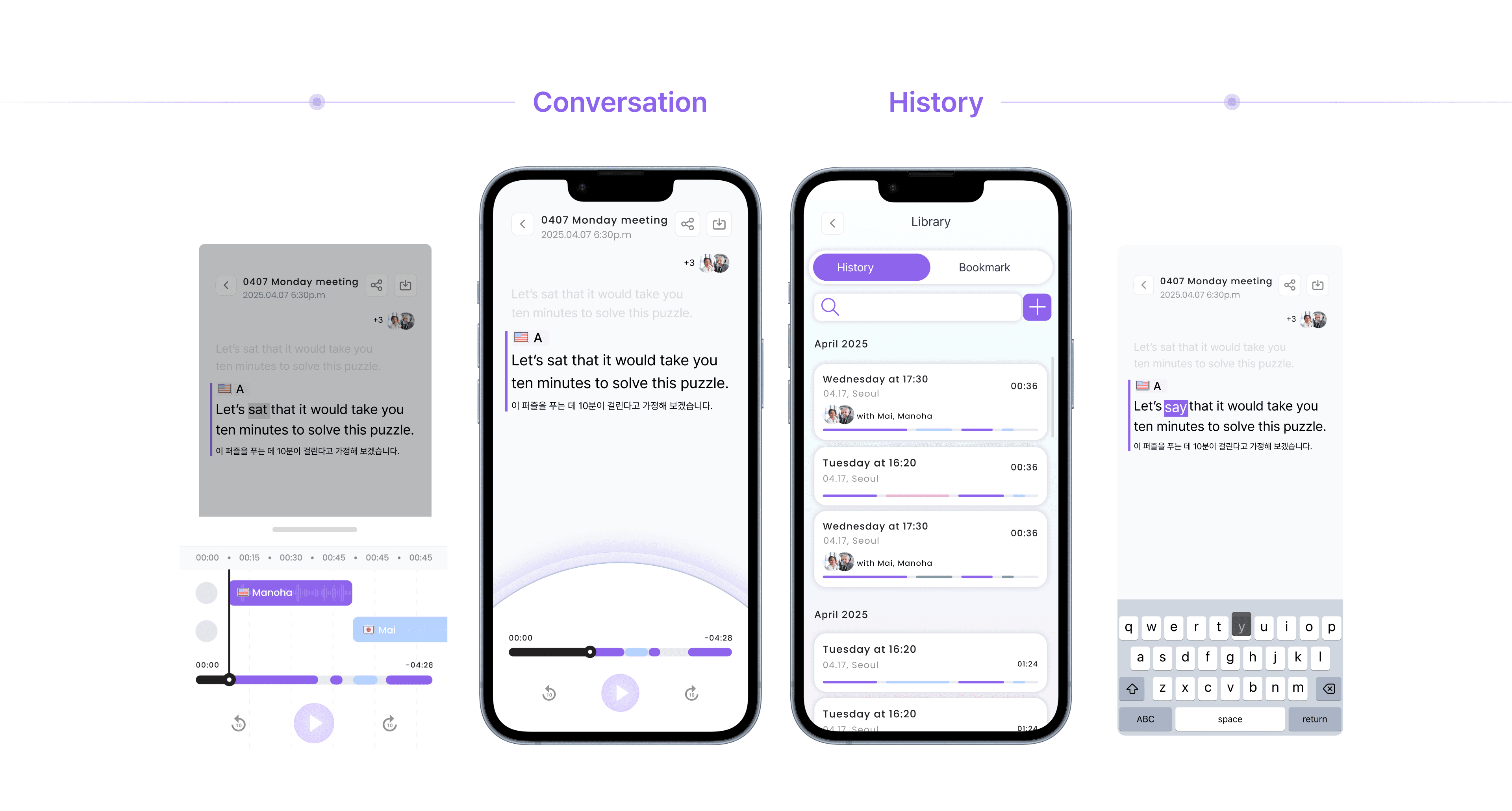
Editing
What I learned
Interaction Design Solves Communication Gaps
1.
I learned that even small interaction patterns can significantly overcome major
communication challenges.
Context is King in Real-Time Translation
2.
The project highlighted that effective real-time translation goes beyond mere accuracy.
It's fundamentally about designing the conversational experience with
deep consideration for user context and interactions.
Paving the Way for Inclusive Communication
3.
This work opened my eyes to future possibilities for platforms that adapt to emotional and
cultural nuances, fostering more inclusive communication.